

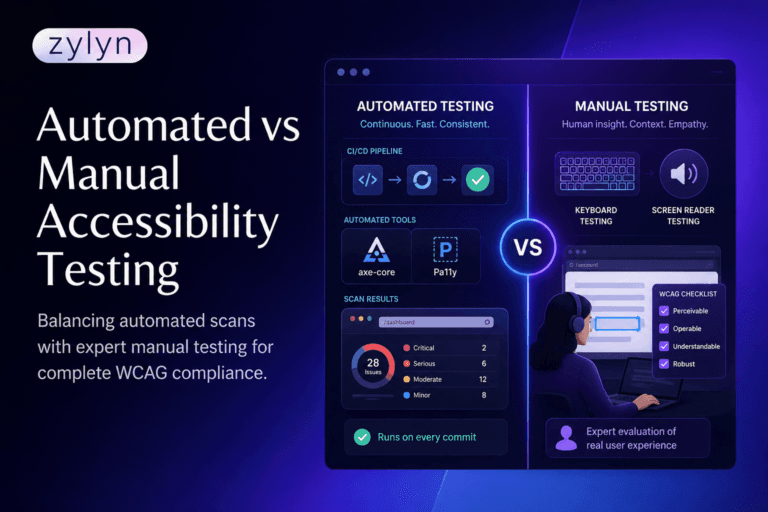
Your scanner returns a clean report. Zero violations. Two weeks later a customer using a screen reader cannot complete your checkout, and your legal team is reading a demand letter.
That gap is the whole reason the automated vs manual accessibility testing question keeps coming up. Scanners are fast, cheap and genuinely useful. They are also structurally incapable of evaluating most of what WCAG asks for, and the marketing around accessibility tooling rarely makes that clear.
This guide breaks down what each method actually covers, criterion by criterion, why published coverage figures range from 30% to 80%, and how to build a testing cadence that closes the gap without paying for a full manual audit every sprint.
Key Takeaways
- Automated tools reliably evaluate roughly a third of WCAG 2.2 Level AA success criteria, and only partially flag many of the rest.
- The widely quoted coverage percentages disagree because some count success criteria and others count issue volume. Both are correct. They measure different things.
The practical answer is a layered cadence: automation in CI on every pull request, focused manual review at release, and full expert audit at milestones.
What percentage of WCAG issues does automated accessibility testing actually catch?
Automated accessibility testing tools fully evaluate roughly 30% to 40% of WCAG 2.2 Level AA success criteria. The remaining 60% to 70% depend on human judgement, including alt text quality, focus order logic, error message clarity and whether custom components work correctly with assistive technology.
Deque’s analysis of automated coverage found automated issues across 16 of the 50 Level AA success criteria in WCAG 2.1, which lands squarely in that 30% band. Independent testing has produced similar figures for over a decade, and the number has stayed remarkably stable even as tooling improved.
The stability is the important part. This is not a temporary limitation waiting on better software. WCAG is written for human evaluation, so a large share of its criteria depend on meaning and context rather than markup. A machine can confirm an alt attribute exists. It cannot confirm the attribute says something useful.
Why do published coverage numbers range from 30% to 80%?
Because the industry uses two different denominators and rarely says which one it is using.
Counting success criteria asks how many of the 55 Level A and AA criteria in WCAG 2.2 a tool can fully evaluate. That method produces the familiar 30% to 40% range. It is the honest measure of conformance coverage, because a criterion you cannot test is a criterion you cannot claim.
Counting issue volume asks what share of the individual defects found in a real audit came from the scanner. That method produces much higher numbers, sometimes 60% or 80%, because the criteria automation does cover happen to be the ones that fail most often. Colour contrast and missing labels appear hundreds of times on a large site. Nuanced criteria fail once or twice per template.
Both figures are defensible. They answer different questions. If you are asking “can I sign a conformance claim,” use the criteria number. If you are asking “how much remediation work will automation surface for me,” use the volume number. Vendors quoting 80% coverage are almost always quoting the second while their buyers hear the first.
There is one more wrinkle worth knowing. You will see WCAG 2.2 Level AA described as having either 55 or 56 success criteria depending on the source. The correct arithmetic is 31 Level A plus 24 Level AA, so 55, after 4.1.1 Parsing was removed in the 2023 release. Sources still saying 56 have not updated for that removal.
Which WCAG 2.2 criteria can automation verify on its own?
Here is the breakdown by the four POUR principles, showing where automation stands on its own, where it only raises a flag for a human, and where it contributes nothing at all.
| WCAG 2.2 principle | A + AA criteria | Automation verifies fully | Automation flags for review | Human judgement required |
| Perceivable | 20 | Contrast ratios on plain backgrounds, missing alt attributes, missing caption tracks, missing language declaration | Info and relationships, reflow at 320px, text spacing, non-text contrast | Alt text quality, meaningful sequence, audio description accuracy, sensory characteristics, images of text |
| Operable | 20 | Page titles present, empty links and buttons, duplicate IDs affecting names | Focus visibility, target size minimums, bypass block presence | Keyboard operability across full journeys, focus order logic, focus not obscured, dragging alternatives, timing adjustments |
| Understandable | 13 | Page language, language of parts where marked up | Error identification present, labels and instructions present | Error message clarity, consistent navigation, consistent help, redundant entry, accessible authentication, on-focus and on-input behaviour |
| Robust | 2 | ARIA attribute validity, name and role present | Status message markup | Whether custom widgets actually behave correctly in NVDA, JAWS and VoiceOver |
| Totals | 55 | ~17 to 20 criteria | ~12 to 15 criteria | ~20 to 25 criteria |
Read the middle column carefully, because it is where most teams get burned. A scanner flagging “possible issue” on reflow or focus visibility is not a pass. It is a task assigned to a human that most teams never pick up.
What does manual testing catch that scanners never will?
Everything that depends on whether something makes sense, rather than whether it exists.
The clearest example is the accessible form that passes every automated check. Every field has a label. Every error has an aria-describedby association. The scanner reports zero violations. Then a screen reader user submits the form, hears “error,” and has no idea which of eleven fields failed or what to do about it. Nothing in that failure is machine-detectable, and it blocks the user completely.
The same pattern repeats across custom components. A dropdown built from div elements with correct ARIA roles will validate cleanly and still trap keyboard focus. A modal can have a perfect accessible name and still leave focus behind it on the page. A carousel can pass contrast checks and still be impossible to pause. In our audit work these interaction failures consistently produce the most severe findings, and none of them appear in a scan report.
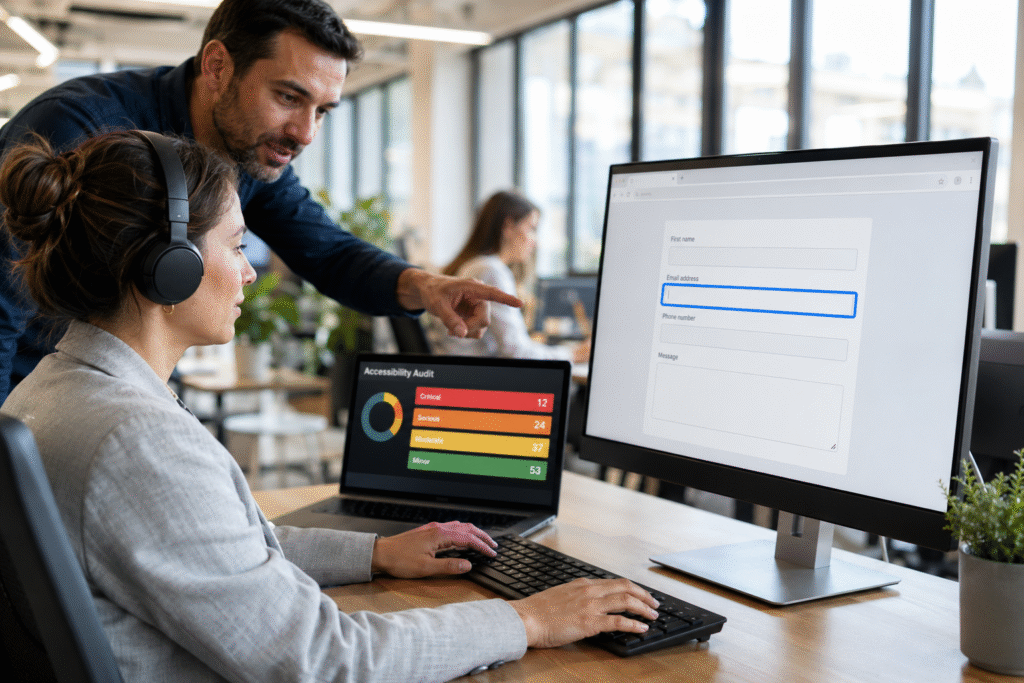
Manual testing catches these because a trained tester does what a user does. Keyboard-only navigation through every task. Screen reader review in at least NVDA on Windows and VoiceOver on macOS. Zoom to 200% and 400%. Reflow at narrow viewports. Then a judgement call on whether the experience is genuinely usable, which is the question WCAG is ultimately asking.
Ready to see where your coverage gap actually sits? Zylyn runs a full WCAG 2.2 audit combining automated scanning and manual expert testing (zylyn.co/services/web-accessibility-testing), so you get findings across all 55 Level AA criteria rather than the third a scanner reaches.
What does manual accessibility testing cost and how long does it take?
This is the question behind most searches on this topic, and it is the one competing guides tend to dodge.
A manual audit covering 10 to 20 representative templates plus key user journeys typically takes one to three weeks of specialist time. That covers keyboard testing, screen reader testing across at least two assistive technologies, zoom and reflow checks, ARIA review, and written findings with severity, evidence and remediation guidance. Document remediation runs separately, usually two to three days per document.
The cost driver is expertise, not hours. Manual testing needs someone fluent in WCAG, ARIA and assistive technology behaviour, and that skill set is scarce. Which is exactly why the sensible move is not to replace manual testing but to shrink its scope. When automation has already cleared contrast, labels, alt attributes and ARIA validity before the audit starts, expert hours go entirely to the criteria that need them.
That is the real efficiency gain, and it is a very different proposition from trying to automate the manual layer away. Teams that attempt the latter end up with accessibility remediation (zylyn.co/services/accessibility-remediation) costs far higher than the audit they avoided, because issues found after launch cost several times more to fix than issues found in development.
How should you split automated vs manual accessibility testing across your release cycle?
Match the method to the cadence rather than treating testing as a single event.
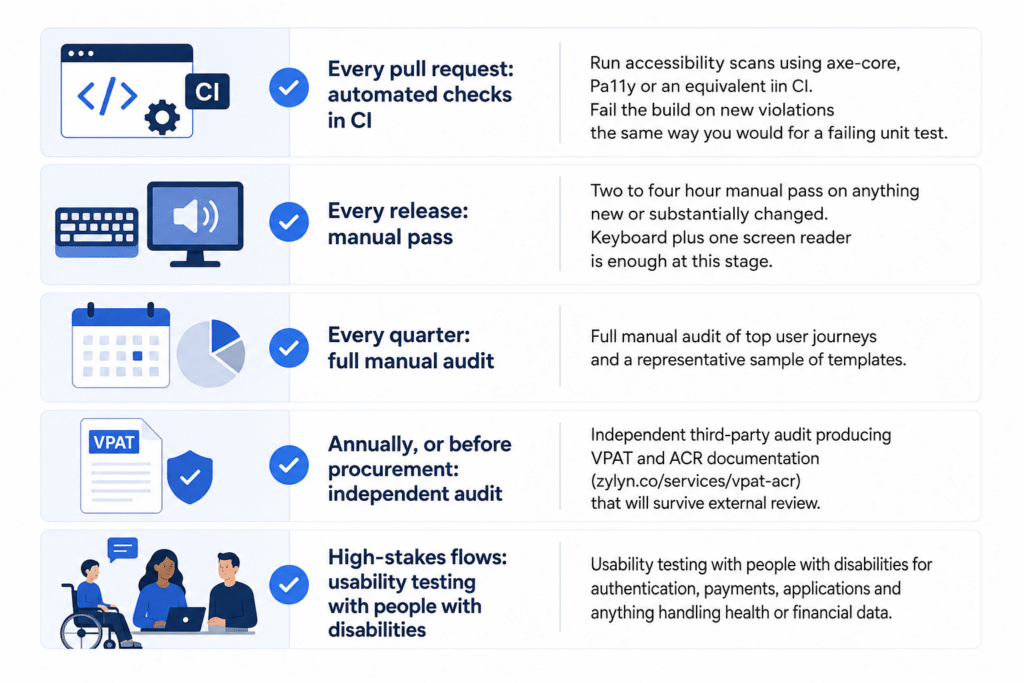
- Every pull request: automated checks in CI using axe-core, Pa11y or an equivalent. Fail the build on new violations the same way you would for a failing unit test.
- Every release: a two to four hour manual pass on anything new or substantially changed. Keyboard plus one screen reader is enough at this stage.
- Every quarter: full manual audit of top user journeys and a representative sample of templates.
- Annually, or before procurement: independent third-party audit producing VPAT and ACR documentation (zylyn.co/services/vpat-acr) that will survive external review.
- High-stakes flows: usability testing with people with disabilities for authentication, payments, applications and anything handling health or financial data.
The annual independent audit is not optional if you sell to government or enterprise. Self-attestation built on automated scanning alone does not survive procurement review, and it will not support a defensible position if you receive a demand letter. Understanding your WCAG compliance requirements (zylyn.co/compliance/wcag) before that point is considerably cheaper than understanding them afterwards.
Common mistakes teams make when balancing the two
Treating an accessibility score as a conformance claim. A 100% automated score means you passed the third of criteria your tool can evaluate. It says nothing about the other two thirds, and quoting it to a regulator or a procurement panel will not go well.
Suppressing findings instead of verifying them. Automated tools do produce false positives, and the fix is to check each one manually and document the reasoning. Teams under deadline pressure suppress in bulk, and real violations get buried alongside the noise.
Scanning only the homepage. Most tools scan a page at a time, but several WCAG criteria are assessed across multiple pages. Consistent navigation, consistent help and redundant entry are invisible to a single-page scan by definition.
Testing static states of dynamic interfaces. A scanner that loads a page and evaluates it immediately never sees the modal, the expanded accordion, the validation error or the loaded search results. Those states need explicit test steps or they go untested entirely.
Waiting until pre-launch to test at all. Accessibility issues found in design cost very little to fix. The same issues found after release require rework across code, content and sometimes contracts. The cadence above exists to move findings earlier.
Assuming an overlay widget substitutes for either method. Overlays adjust presentation for individual users. They do not remediate underlying code, they are not accepted as a conformance mechanism, and they have featured in a growing share of accessibility litigation.
Frequently Asked Questions
Can automated accessibility testing replace manual testing entirely?
No. Roughly two thirds of WCAG 2.2 Level AA criteria require human judgement, and no vendor outside the overlay market claims otherwise.
What percentage of accessibility issues do automated tools find?
About 30% to 40% of success criteria. By raw issue count the share is higher, because automatable issues repeat more often across pages.
Is axe better than WAVE or Lighthouse?
Axe has the largest rule set and best documentation. WAVE communicates findings visually. Lighthouse is convenient. Most mature programmes run more than one.
Does AI improve automated accessibility coverage?
Marginally. AI can suggest alt text and flag unclear link names, which extends slightly into the semantic layer, but the output still needs human verification.
How many WCAG 2.2 criteria apply at Level AA?
55 in total: 31 at Level A and 24 at Level AA. Six of them are new in WCAG 2.2.
Do I need screen reader testing if keyboard testing passes?
Yes. Keyboard testing confirms operability. Screen reader testing confirms that what the user hears matches what is on screen.
Which screen readers should we test with?
NVDA on Windows and VoiceOver on macOS or iOS at minimum. Add JAWS if you serve enterprise or government users.
Can automated testing be run in CI/CD?
Yes. Axe-core, Pa11y and similar tools run as build steps and can block merges that introduce new violations.
Is user testing with people with disabilities required for WCAG conformance?
Not strictly. Conformance can be demonstrated through automated plus expert manual testing, but user testing is the only way to validate real usability.
How often should we run a full manual audit?
Quarterly for active products, annually at minimum, and always before a procurement submission or major launch.
Conclusion
The automated vs manual accessibility testing debate has a settled answer, and it is not a compromise. Automation handles roughly a third of WCAG 2.2 Level AA quickly, cheaply and continuously. Manual expert testing handles the rest, including nearly everything that actually blocks a user from completing a task.
Coverage percentages vary across sources because some count criteria and some count issues, so check which denominator a vendor is using before you trust the figure. And treat the flagged-for-review column as work assigned, not work finished, because that is where most conformance gaps quietly accumulate.
Run automation continuously, keep manual review focused on what automation cannot reach, and audit independently before anyone else audits you.
Not sure how wide your gap is? Start with a free Zylyn accessibility scan (zylyn.co) to see your automated baseline, then book a discovery call to scope the manual review that closes the rest.